
You Don't Need a Spoke for That: Building a Box Integration Without Integration Hub
How we built a fully-functional Box integration using ServiceNow's native REST capabilities – no additional licensing required
The Great Integration Hub Paradox
ServiceNow's marketing is brilliant in its simplicity. "It just works." or "We have a spoke for that." And when they're demoing to executives, they love showing a pre-built Flow Designer action as part of a spoke.
But, what happens when your customer doesn't pay for that spoke?
Integration Hub's licensing model is confusing. ServiceNow breaks spokes into multiple tiers – Starter, Professional and Enterprise – each requiring separate entitlements. Want to integrate with Box? That's a Professional spoke. Need SAP S/4HANA? Enterprise tier. Oracle HCM? Also Enterprise. The list goes on and on, and we're constanly referencing the latest version of the "pricing-and-packaging-app-engine" document.
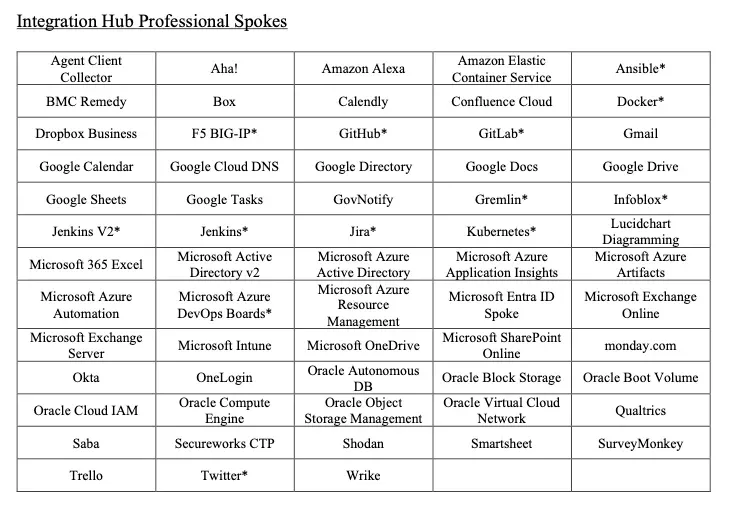
Just a sampling of the Professional tier spokes.
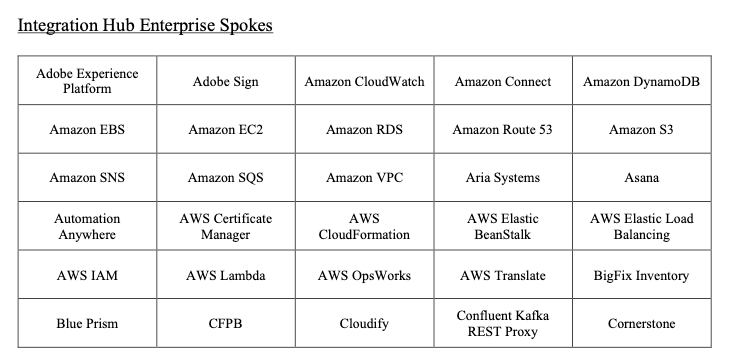
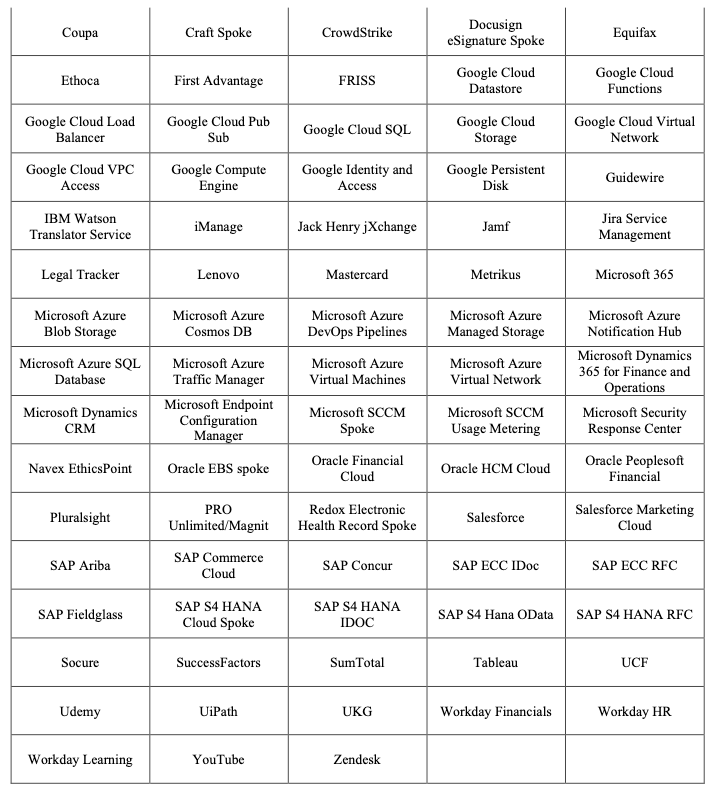
Enterprise spokes add even more cost – and more confusion about what's included.
For organizations that only need one or two integrations, paying for an entire spoke tier feels like buying a whole pizza when you just want a slice. And for ServiceNow partners like us, we need to be able to deliver value regardless of what licensing our clients have.
The Old Fashioned Way Still Works
The good news is that you can still build integrations the "old fashioned way." REST Messages, OAuth configurations, and Script Includes aren't going anywhere. They're not deprecated. They're not legacy. They're fully-supported, and – critically – they don't require additional licensing.
We've done this before with SAP, Greenhouse, UKG, and even ESPN's Fantasy Football. Every time, we read the API documentation, set up the authentication, and build exactly what our clients need. No spokes required.
When a client came to us needing to integrate with Box for their employee onboarding process, we didn't hesitate.
Building the Box Integration
Step 1: Creating an OAuth Application in Box
The first step was heading to the Box Developer Console and creating a Custom App with OAuth 2.0 authentication. Box's documentation is excellent here – you specify your redirect URI (pointing to your ServiceNow instance), select the scopes you need, and Box generates your client credentials.
Per the Box documentation, the key scopes we needed were:
root_readwrite- for folder and file operationssign_requests.readwrite- for Box Sign templates
Step 2: Configuring OAuth in ServiceNow
ServiceNow's OAuth framework is under-appreciated. We created an OAuth Entity in ServiceNow with the client ID and secret from Box, configured the token and authorization URLs, and ServiceNow handles the rest – including token refreshes.
This is the magic that spokes obscure: ServiceNow already has robust OAuth2 support built into core platform functionality. The spoke is just a wrapper around capabilities you already have access to.
Step 3: Creating the REST Message
We created a single REST Message called "Box" with OAuth2 authentication pointing to our OAuth profile. Then, for each Box API endpoint we need, we added an HTTP Method:
- Get Folder -
GET https://api.box.com/2.0/folders/${folder_id} - Create Folder -
POST https://api.box.com/2.0/folders - Copy Folder -
POST https://api.box.com/2.0/folders/${folder_id}/copy - Get Sign Templates -
GET https://api.box.com/2.0/sign_templates - Create Sign Request -
POST https://api.box.com/2.0/sign_requests
Each method has its parameters defined, and the authentication is inherited from the parent. Want to add a new endpoint later? It's easy, and you can insert & stay on the ones you already have.
Step 4: The Script Include
The real power comes from wrapping everything in a Script Include. Here's the structure we usually use:
var BoxAPIHelper = Class.create();
BoxAPIHelper.prototype = {
    REST_MESSAGE_NAME: 'Box',

    initialize: function() {
    },

    /**
     * Execute a REST message - handles all the boilerplate
     */
    executeRequest: function(functionName, params, requestBody) {
        var result = {
            success: false,
            statusCode: null,
            body: null,
            error: null
        };

        try {
            var request = new sn_ws.RESTMessageV2(this.REST_MESSAGE_NAME, functionName);

            // Set parameters
            if (params) {
                for (var key in params) {
                    if (params.hasOwnProperty(key)) {
                        request.setStringParameter(key, String(params[key]));
                    }
                }
            }

            // Set request body if provided
            if (requestBody) {
                request.setRequestBody(requestBody);
            }

            var response = request.execute();
            result.statusCode = response.getStatusCode();
            result.body = response.getBody();

            if (result.statusCode >= 200 && result.statusCode < 300) {
                result.success = true;
            } else {
                result.error = 'HTTP ' + result.statusCode + ': ' + result.body;
            }

        } catch (ex) {
            result.error = 'Exception: ' + ex.message;
            this.logger.logErr('Error executing Box API request: ' + ex.message);
        }

        return result;
    },

    /**
     * Create a new folder in Box
     */
    createFolder: function(folderName, parentFolderId) {
        var params = {
            name: folderName,
            parent: parentFolderId || '0'
        };

        var result = this.executeRequest('Create Folder', params);

        if (result.success && result.body) {
            result.data = JSON.parse(result.body);
        }

        return result;
    },

    /**
     * Get folder information
     */
    getFolder: function(folderId) {
        var result = this.executeRequest('Get Folder', { folder_id: folderId });

        if (result.success && result.body) {
            result.data = JSON.parse(result.body);
        }

        return result;
    },

    // ... additional methods for each operation

    type: 'BoxAPIHelper'
};
Now, anywhere in the platform, creating a folder in Box is a single line of code:
var box = new global.BoxAPIHelper();
var result = box.createFolder("New Employee - John Smith", "6465799505");
Advantages
This approach has been successful for us for a few reasons
Centralized Endpoint Management. All of your REST Message endpoints are visible in one place. Need to see what API calls you're making to Box? And what the variables are? Open the REST Message and see all of the methods. Need to add a new one? Add it right there. Compare this to hunting through Flow Designer actions or spoke configurations spread across multiple applications.
Secure OAuth Handling. ServiceNow's OAuth framework handles token storage, encryption, and – critically – automatic token refresh. You never touch credentials in your code. The tokens are stored securely in the platform, and when they expire, ServiceNow silently refreshes them before your next API call.
Consolidated Business Logic. All of your integration logic lives in one Script Include. When something breaks (and things always break), you know exactly where to look. When you need to enhance the integration, you know exactly where to add code. No hunting through multiple Flow Designer actions or subflows.
Simple API Calls. Once the Script Include is built, consuming the integration is trivial. One or two lines of code. Other developers don't need to understand OAuth flows or REST architecture – they just call box.getFolder(id) and get their result.
When You Should Use a Spoke
To be fair, spokes aren't bad. They're genuinely useful when:
- You already have the licensing - If your organization is already paying for Integration Hub Professional or Enterprise, use what you're paying for
- You need complex orchestration - Some spokes handle retry logic, pagination, and error handling that would take significant effort to replicate
- You want declarative configuration - Not every team has developers comfortable writing Script Includes
- It does everything you need - if the spoke contains all of the operations you need, and you don't need to do anything extra
But if you're a smaller organization that only needs one or two integrations? If you're a ServiceNow partner that needs to deliver regardless of client licensing? If you want complete control over your integration architecture?
Build it yourself. It's not that hard. And honestly? It's more fun.
We're Here to Help
At Semaphore Partners, we don't shy away from integration challenges. We're excited by them. When a client hands us API documentation for a system we've never touched, we don't panic – we start reading.
Whether it's a system with a pre-built spoke or something completely custom, we'll build the integration that fits your needs and your budget. No unnecessary licensing. No artificial limitations. Just clean, maintainable code that gets the job done.
If you're tired of being told you need another spoke (and another line item on your invoice), reach out. Let's talk about what's actually possible.